23 · Machine
Backlash compensation
Compensate axis play in every program the app writes.
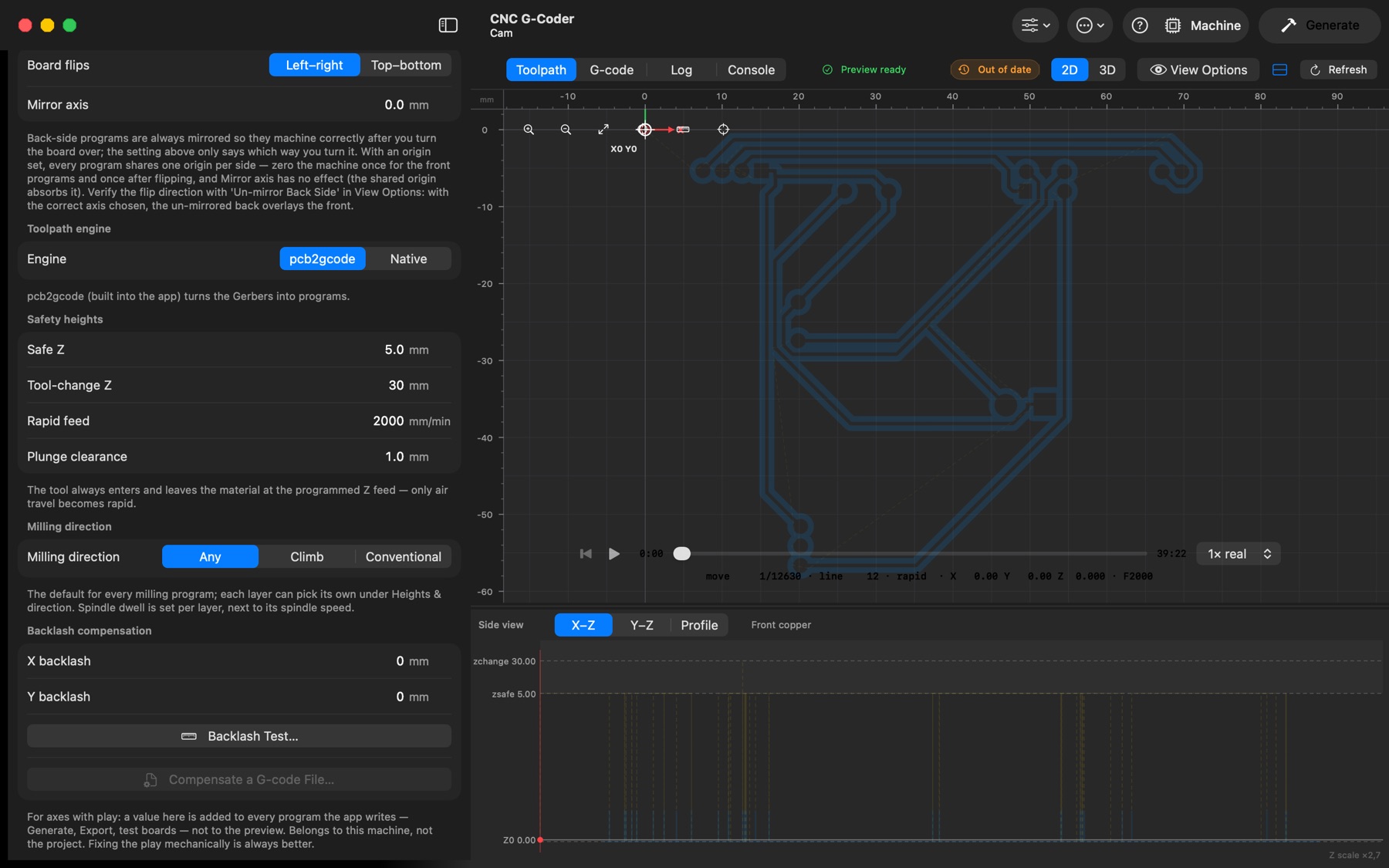
GRBL and FluidNC have no backlash setting, so the app can compensate for play in the X and Y axes itself. Machine setup → Backlash compensation holds the play per axis (measure it with the backlash test board). The values belong to the machine, not the project: they are app-wide and are not saved in .cncproj files.
- With a value set, every program the app writes — Generate, the CNC export, test boards — is rewritten: coordinates reached while moving in the negative direction are shifted by the play, a short take-up move of that axis alone is inserted wherever the axis reverses, arcs are split at their X/Y extremes, and the first rapid gets a lead-in from below. The preview and the G-code tab always show the uncompensated program.
- Compensate a G-code File… writes a compensated copy of a program made outside this app.
- When sending from the Machine panel, the Backlash compensation toggle on the Program tab (default from Settings → Machine → Apply backlash compensation when sending) rewrites the copy that is streamed; the files on disk are untouched.
- Programs with G91 (relative moves), G20 (inches), R-format arcs, G28/G53/G92 or canned cycles are left uncompensated, with a WARNING in the Log.
- Set the values back to 0 once the machine is repaired — fixing the play mechanically is always better.