09 · Output
Toolpath engines
pcb2gcode or the native engine: what differs and what does not.
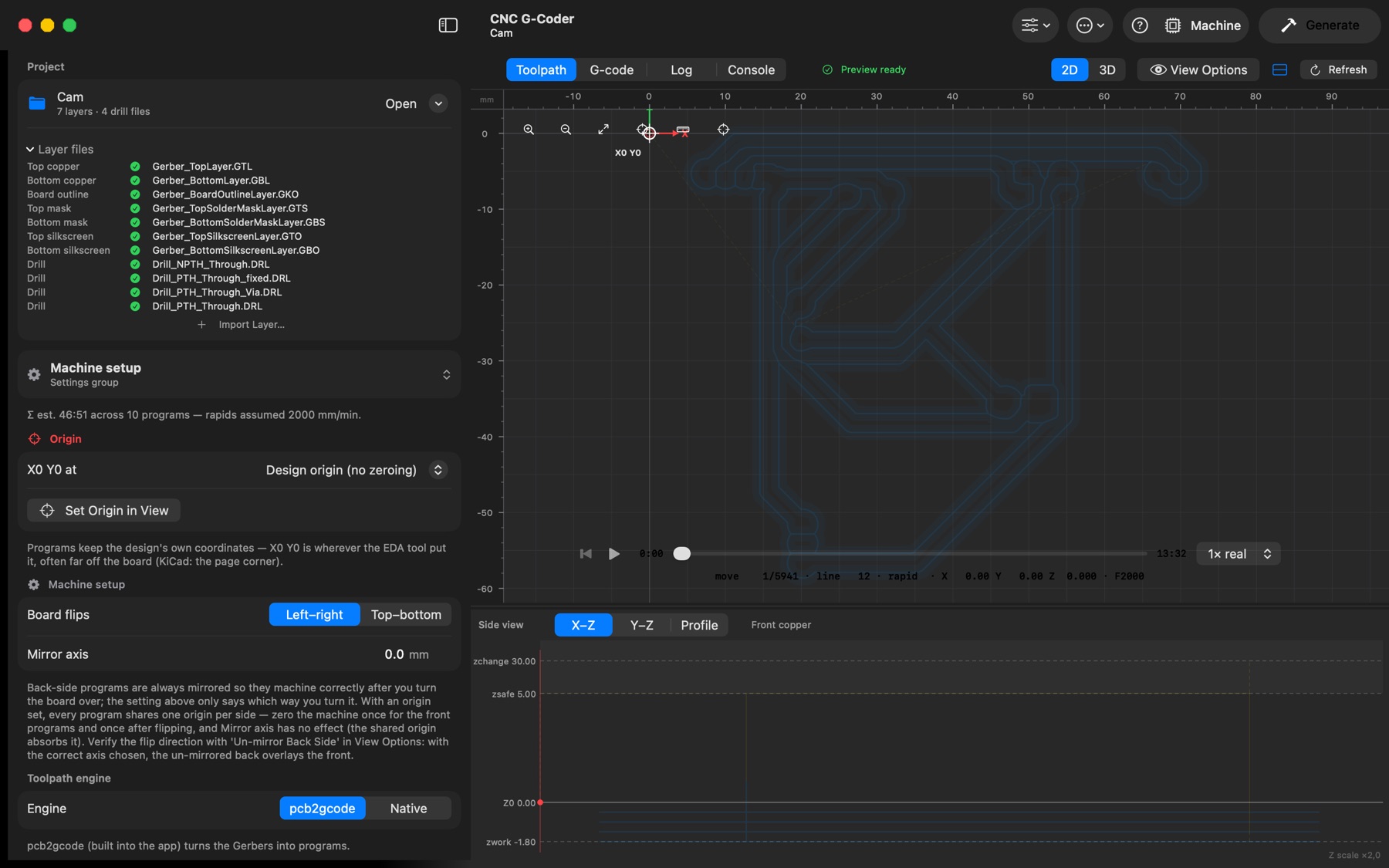
Machine setup → Toolpath engine picks what turns the Gerber and drill files into programs:
- pcb2gcode — the established open-source generator. It is built into the app (Contents/Helpers), so nothing has to be installed.
- Native — the app's own engine: it reads the files itself and computes isolation, board outline with tabs, drilling (with bits on hand), hole milling, solder-mask etch and silkscreen with the Clipper2 polygon library. It runs in the app, which makes it faster, and follows the same rules as pcb2gcode — passes spread evenly across the isolation width, the outline's centre line as the board edge, tabs on the longest edges.
Both write their programs the same way, so every setting (dwells, pecks, plunge clearance, extra cut, heights, origins) applies to either. Differences you may notice: the native engine splits depths exactly (1.8 mm in 0.6 mm passes is 3 passes; pcb2gcode makes it 4 of 0.45 mm) and orders paths by nearest neighbour.