02 · Getting started
Project folder & detection
How EasyEDA and KiCad exports are recognised, and what Generate writes where.
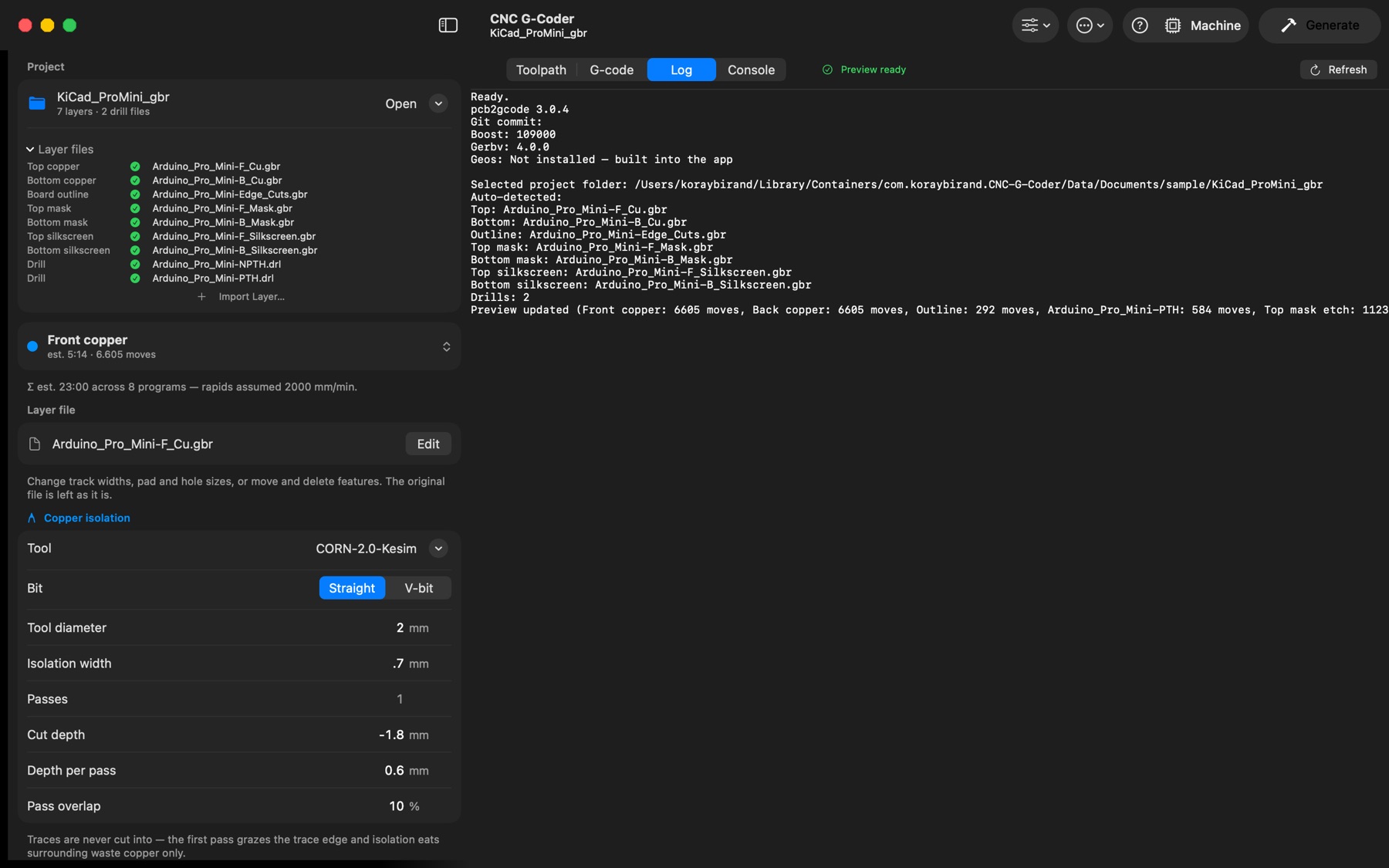
EasyEDA exports are recognised by extension: Gerber_TopLayer.GTL, Gerber_BottomLayer.GBL, Gerber_BoardOutlineLayer.GKO, solder masks .GTS/.GBS, silkscreens .GTO/.GBO and .DRL drill files. EasyEDA splits drills into PTH / PTH-via / NPTH files; each becomes a separate program because pcb2gcode accepts one drill file per run.
KiCad exports are recognised by KiCad's layer names: board-F_Cu.gbr / board-B_Cu.gbr (copper), board-Edge_Cuts.gbr (outline), board-F_Mask.gbr / board-B_Mask.gbr, board-F_Silkscreen.gbr / board-B_Silkscreen.gbr, and board.drl or board-PTH.drl + board-NPTH.drl. Paste, fab, courtyard, inner-copper, drill-map and job files are ignored. In KiCad's drill dialog choose the Excellon format (not Gerber X2), and use the same origin setting in the plot and drill dialogs (both "drill/place file origin" or neither), otherwise the drills land offset from the copper. Exports made with "Use Protel filename extensions" work too.
Note
Generate asks where to write the programs (the dialog's New Folder button creates a fresh destination); the choice is remembered until you switch projects. The live preview uses a temporary folder and never touches your files until you press Generate.