Camera
The live view is the picture: full screen, and the saved file is that very frame.
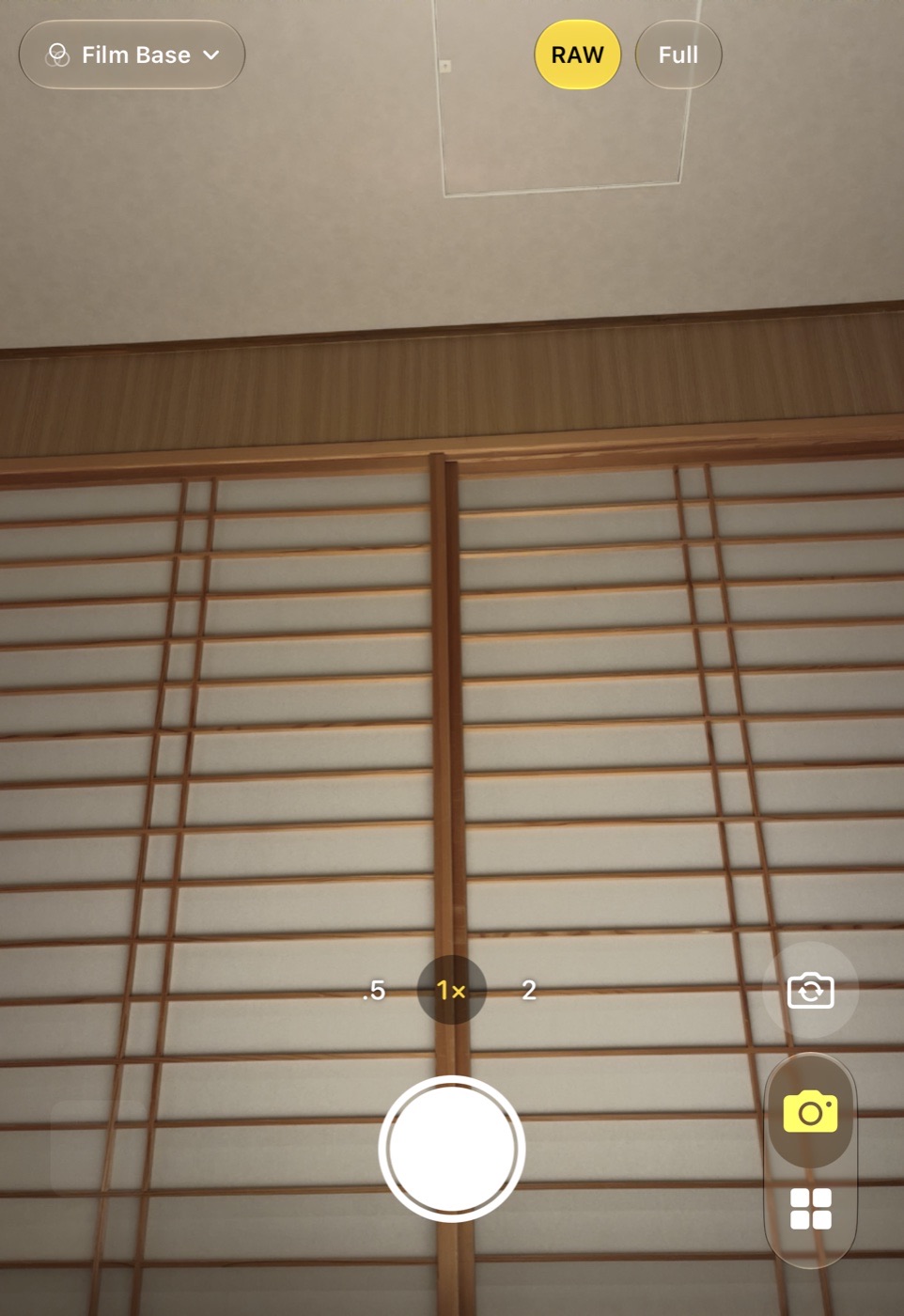
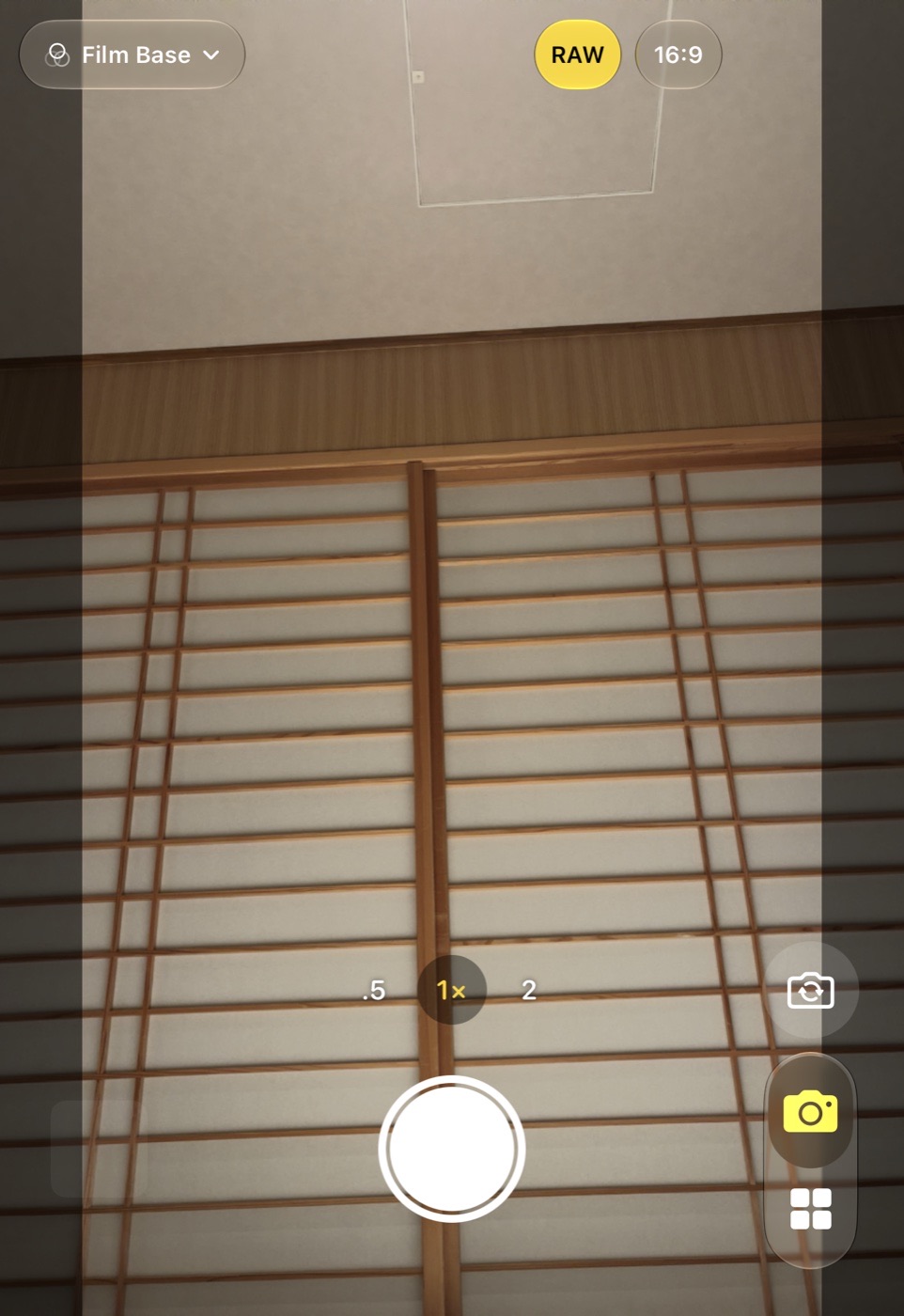
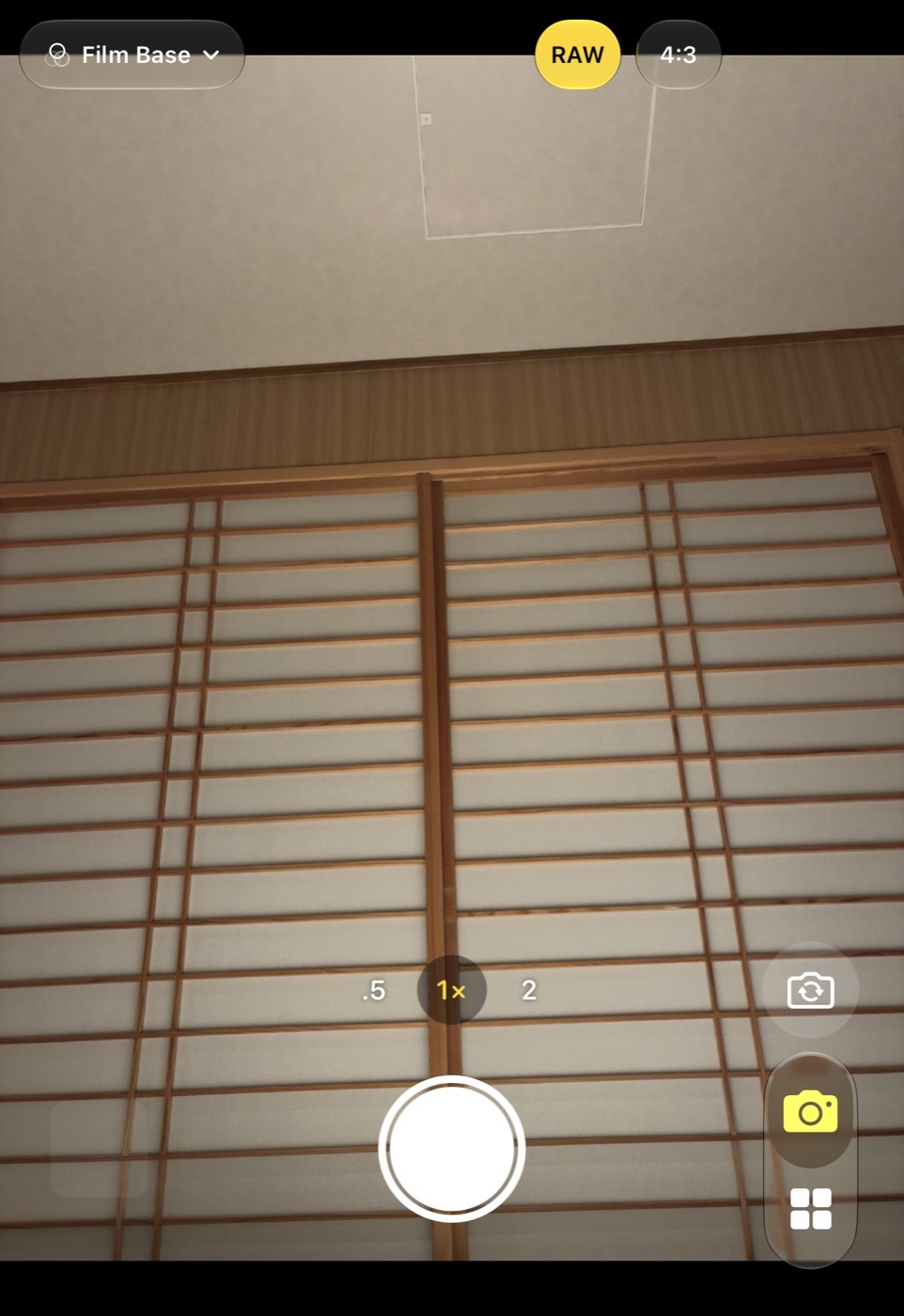
The live view
The feed fills the screen. What falls outside the chosen aspect is dimmed; the bright area is exactly what the saved picture will contain. The DNG, when RAW is on, is always the whole sensor frame regardless of the aspect.
Tap anywhere to focus and set the exposure there: a yellow square marks the point and a sun appears beside it. Drag up or down to brighten or darken by up to three stops, as in Apple's camera. Double-tap cycles the aspect ratio.
Top row
Left: the flash button.
Right: RAW, yellow when a Bayer DNG is saved with every shot, grey when only the picture is saved. One tap switches it; the same switch is in Settings, behind the gear in the top row. Next to it the aspect: Full, 4:3, 3:2, 16:9 or 1:1.
Lenses
The lens row sits above the shutter and works like Apple's: plain numbers, and the chosen lens on a small dark disc in yellow with its ×. The row slides so the chosen lens is always in the middle.
0.5× is the ultra-wide, 1× the main camera and 4× the telephoto where the phone has one. 2× and 8× are the centre of the 48 MP sensors behind the 1× and 4× lenses: the app cuts the feed and the saved picture to that centre, 12 MP, and leaves the RAW complete. No lens is ever zoomed by the system, because Bayer RAW cannot be captured that way.
Shutter row
The shutter is in the middle, the same proportions as Apple's. The thumbnail at the left shows the last shot and opens it in the Gallery while it is recent, else the Gallery grid. The selfie button switches to the front camera; it sits level with the lens row at the right, or in the side strip on a foldable's screen.
A shot takes the camera's processed frame and, with RAW on, the Bayer DNG, both with speed priority so that no Deep Fusion or Smart HDR runs. With the flash on, the LED lights the scene like a torch for the shot: a strobe frame is metered against the dark room and burns a face, while the torch-lit frame uses the normal metering, obeys your exposure bias, shows in the live view and stays one Bayer frame. Strobe Flash in Settings fires the real strobe instead, through the camera's own fusion, as an Apple ProRAW DNG where the phone has it and without a DNG elsewhere. The shutter is free again as soon as the files are in; rendering and saving continue in the background, and the thumbnail switches from the camera's frame to the rendered look when it is ready.
Good to know
- Aspect, lens and the photo or video mode are remembered between launches; coming back from another app always lands on the camera.
- Every photo is the camera's own frame, the same rendering as the live view; the DNG is the sensor's data for the Mac. Looks go onto that frame in the Gallery editor; see Photos and RAW.